


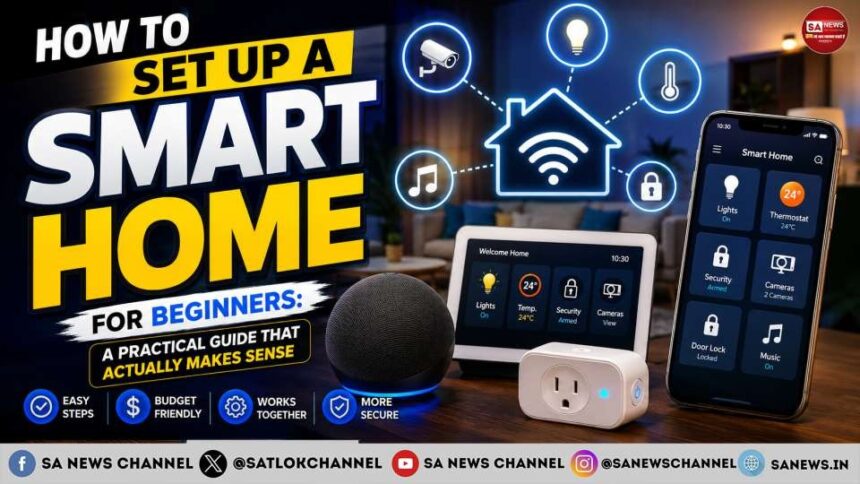
A smart home sounds futuristic until you start shopping for devices. Then the confusion begins.
- What Is a Smart Home?
- Before Buying Anything, Decide What You Want to Automate
- Step 1: Check Your Wi-Fi Before Building Your Smart Home
- Step 2: Choose Your Smart Home Platform
- Step 3: Start With Smart Plugs
- Step 4: Add Smart Lighting
- Step 5: Add a Smart Speaker—But Don’t Make It the Centre of Everything
- Step 6: Create Simple Automations
- Step 7: Think Seriously About Smart Home Security
- Step 8: Don’t Ignore Privacy
- Step 9: Prepare for Internet or Power Failures
- Step 10: Expand Slowly
- Stage 1: Basic convenience
- Stage 2: Automation
- Stage 3: Security
- Stage 4: Energy management
- Stage 5: Advanced automation
- Common Smart Home Mistakes Beginners Should Avoid
- Buying Before Checking Compatibility
- Buying Too Many Devices at Once
- Ignoring Physical Controls
- Automating Without a Purpose
- Choosing the Cheapest Gadget
- Forgetting About Guests and Family Members
- How Much Does It Cost to Build a Smart Home?
- Is a Smart Home Worth It for Beginners?
- Don’t confuse more technology with a smarter home
- Spiritual Perception: Living Smartly With Spiritual Wisdom
- FAQs about How to Set Up a Smart Home for Beginners
Should you buy a smart speaker first? Do all smart bulbs work with every phone? What happens if the internet stops working? Is a smart lock really safe? And do you actually need a dozen connected gadgets to call your house “smart”?
The answer to most of these questions is no.
You do not need to turn your home into a showroom filled with expensive gadgets. A useful smart home is simply a home where technology takes care of repetitive tasks, improves convenience, saves energy and gives you better control over everyday appliances.
If you are a beginner, the smartest approach is to start small, choose compatible devices and build your setup around the way you actually live.
Here is how to do it without wasting money.
What Is a Smart Home?
A smart home uses internet-connected or locally connected devices that can be controlled automatically, remotely or through voice commands.
These devices may include:
- Smart bulbs
- Smart plugs
- Smart switches
- Smart speakers
- Smart TVs
- Smart cameras
- Smart doorbells
- Smart locks
- Smart thermostats or AC controllers
- Motion and door sensors
- Robot vacuum cleaners
The important part is not how many devices you own. It is how well they work together.
For example, instead of getting up to switch off the bedroom light, you could control it from your phone or use a voice command. A motion sensor could turn on a hallway light at night. A smart plug could switch off a connected appliance according to a schedule.
That is where a smart home becomes genuinely useful.
Before Buying Anything, Decide What You Want to Automate
This is the step beginners often skip.
They see a smart bulb or camera on sale and buy it without thinking about where it fits into their home.
Instead, walk around your house and identify annoying or repetitive tasks.
Ask yourself:
- Which lights do I frequently forget to turn off?
- Which appliances would benefit from a schedule?
- Do I want remote access when I am away?
- Would I benefit from motion sensors?
- Do I need better security?
- Do I want voice control?
- Am I trying to reduce electricity consumption?
- Which devices should remain completely manual?
Your answers will determine what you actually need.
For many beginners, smart bulbs, smart plugs and one smart speaker are enough to start.
Step 1: Check Your Wi-Fi Before Building Your Smart Home
Your Wi-Fi network is the foundation of many smart-home setups.
If your internet connection is unreliable or your router struggles to cover your home, adding ten connected devices will not solve the problem.
Before buying gadgets, check:
Wi-Fi coverage:
Does your router provide a stable signal in the rooms where you want smart devices?
Router location:
A router hidden behind furniture or placed at the far end of the house may create unnecessary dead zones.
Network capacity:
Smart devices may continuously communicate with your network. An older or poorly configured router may struggle with a growing number of connected devices.
If you have a large home, you may need a mesh Wi-Fi system rather than simply buying a more powerful router.
Also remember that Wi-Fi and the internet are not exactly the same thing. Some smart-home devices can continue performing certain functions locally even when your internet connection is unavailable, depending on the device and platform.
Step 2: Choose Your Smart Home Platform
This is one of the most important decisions because compatibility can become a headache later.
A smart-home platform provides a central ecosystem through which compatible devices can be controlled and automated.
Popular ecosystems include:
- Google Home
- Amazon Alexa
- Apple Home
- Samsung SmartThings
You do not necessarily have to choose based on which brand has the most devices. Consider the devices you already own and the phones your household uses.
For example, if your family already uses a particular ecosystem extensively, choosing compatible smart-home products can make setup easier.
What About Matter?
You may also see the word Matter while shopping for smart-home products.
Matter is an industry-supported smart-home interoperability standard designed to make compatible devices work across supported ecosystems more easily.
That does not mean every Matter-certified device will have identical features on every platform. Always check the manufacturer’s compatibility information before purchasing.
But for beginners, Matter can be a useful term to understand because it addresses one of the biggest historical problems with smart homes: devices from different ecosystems not playing nicely together.
Step 3: Start With Smart Plugs
If you want the easiest introduction to home automation, smart plugs are a good place to begin.
A smart plug sits between a wall outlet and a compatible appliance. Depending on the model, you can switch the appliance on or off through an app, schedule it or include it in an automation.
For example, you could use one for:
- A table lamp
- Certain fans
- Decorative lights
- A coffee maker designed for safe scheduled operation
- Other suitable appliances that resume their previous state after power is supplied
However, do not blindly connect high-power appliances.
Check the smart plug’s voltage, current and power rating before connecting anything. Appliances such as heaters, irons and other high-load devices require particular caution.
A smart plug is not a magic safety device. Turning something off remotely does not eliminate every electrical risk.
Step 4: Add Smart Lighting
Smart lighting is another beginner-friendly upgrade.
You can choose between smart bulbs and smart switches.
Smart bulbs
Smart bulbs are easy to install because you generally replace the existing bulb with a compatible smart bulb.
You can then control:
- Brightness
- Colour, depending on the bulb
- On/off schedules
- Scenes
- Voice commands
The downside is important: the physical wall switch usually needs to remain on for the smart bulb to stay powered.
Smart switches
Smart switches replace the existing wall switch and can be a better option if you want the entire lighting circuit to behave intelligently.
However, electrical installation may require professional help, particularly if you are unfamiliar with household wiring.
For renters, smart bulbs are often easier because they require less permanent modification.
Step 5: Add a Smart Speaker—But Don’t Make It the Centre of Everything
A smart speaker can act as a convenient voice interface for your smart home.
You might say:
“Turn off the bedroom lights.”
Or:
“Set the living room lights to 50 percent.”
But voice control is only one part of a smart home.
A well-designed system should still work through physical controls and apps where appropriate.
This matters because people sometimes create automations that are clever but frustrating. If turning on a light requires opening an app every time, the “smart” system has actually made a simple task more complicated.
Good automation should reduce effort, not create it.
Step 6: Create Simple Automations
This is where a collection of smart devices becomes a smart home.
Automation means one event triggers another action.
For example:
Time-based automation:
At 7:00 AM, turn on selected lights.
Motion-based automation:
When motion is detected in a hallway at night, turn on a light.
Schedule:
Turn selected lights off at a particular time.
Away routine:
When everyone leaves, switch off selected lights and compatible devices.
You can also create scenes.
A “Good Night” scene could, for example:
- Turn off selected lights
- Switch off selected smart plugs
- Lock a compatible smart lock
- Adjust compatible heating or cooling settings
The exact capabilities depend on your devices and platform.
Start with one or two useful automations. Do not automate everything on day one.
Step 7: Think Seriously About Smart Home Security
Convenience should never come at the expense of security.
Every connected device potentially adds another point that needs protection.
Start with your Wi-Fi router.
Use a strong, unique administrator password and keep the router’s firmware updated. Avoid using easy-to-guess passwords.
For smart devices:
- Use strong, unique passwords where applicable.
- Enable two-factor authentication when offered.
- Keep device firmware updated.
- Buy from reputable manufacturers.
- Remove devices you no longer use.
- Review which apps and accounts have access to your smart home.
Security cameras deserve additional attention because they can capture extremely sensitive information.
Avoid placing cameras where privacy could be compromised, and understand how recordings are stored and accessed.
Step 8: Don’t Ignore Privacy
A smart home can collect more information than you may realise.
Depending on the device, this could include:
- Voice recordings
- Motion information
- Camera footage
- Presence data
- Device usage patterns
- Home routines
Before buying a product, look at its privacy policy and understand what information it collects.
Ask:
Does the device need an account?
Is cloud storage required?
Can recordings be stored locally?
Who can access the data?
Can the microphone or camera be disabled?
The cheapest device is not necessarily the best value if you are uncomfortable with how it handles your data.
Step 9: Prepare for Internet or Power Failures
A smart home should not become a useless home when the Wi-Fi goes down.
Some devices depend heavily on cloud services. Others can perform certain functions locally.
Before purchasing a critical device, check what happens when the internet connection disappears.
This is particularly important for:
- Smart locks
- Security systems
- Cameras
- Lighting
- Heating and cooling controls
For critical functions, maintain a manual alternative whenever practical.
For example, a smart lock should have a reliable way to enter the home if the app or internet connection is unavailable.
Step 10: Expand Slowly
Once your first few devices are working properly, you can expand.
A logical progression might look like this:
Stage 1: Basic convenience
Start with a smart speaker, a couple of smart plugs and smart bulbs.
Stage 2: Automation
Add motion sensors, door sensors and useful routines.
Stage 3: Security
Consider cameras, video doorbells or smart locks according to your needs.
Stage 4: Energy management
Explore smart energy monitoring, compatible AC controls and other energy-management solutions.
Stage 5: Advanced automation
Once you understand your ecosystem, you can explore more sophisticated sensors, hubs and local automations.
There is no requirement to reach Stage 5.
A home with five intelligently selected devices can be more useful than a house filled with 50 gadgets that barely communicate with one another.
Common Smart Home Mistakes Beginners Should Avoid
Buying Before Checking Compatibility
A device may look perfect but fail to work with your existing ecosystem.
Always check compatibility before purchasing.
Buying Too Many Devices at Once
More devices mean more accounts, apps, firmware updates and potential problems.
Start small.
Ignoring Physical Controls
Not everyone wants to use voice commands or a phone every time they need a light.
Keep traditional controls where they make sense.
Automating Without a Purpose
Just because something can be automated doesn’t mean it should be.
Automation should solve a real problem.
Choosing the Cheapest Gadget
Price matters, but reliability, software support, security and compatibility matter too.
A cheap device that stops receiving updates can become a poor investment.
Forgetting About Guests and Family Members
Your smart home should be understandable to everyone who uses it.
If only one person knows how everything works, the system is not as convenient as it appears.
How Much Does It Cost to Build a Smart Home?
There is no fixed price.
A basic setup can be relatively inexpensive if you begin with a few smart bulbs or plugs. Costs increase considerably when you add smart locks, security cameras, advanced sensors, hubs and other equipment.
Instead of asking, “How much does a smart home cost?”, ask:
“Which problems do I want technology to solve?”
That question will prevent unnecessary spending.
You can start with a small budget and upgrade gradually.
Is a Smart Home Worth It for Beginners?
Yes—provided you approach it as an automation project rather than a gadget-shopping exercise.
The biggest benefits are usually convenience, scheduling, accessibility, security awareness and potentially better control over energy-consuming devices.
But smart-home technology has limitations. Devices can stop receiving software updates, services can change, internet connections can fail and incompatible products can create frustration.
The goal is therefore not to make your house dependent on technology.
The goal is to make technology quietly useful in the background.
Don’t confuse more technology with a smarter home
Setting up a smart home does not require a huge budget or advanced technical knowledge.
Start with the problems you want to solve. Check your Wi-Fi. Choose an ecosystem carefully, pay attention to compatibility standards such as Matter, and begin with simple devices such as smart plugs and lights.
Then introduce automation gradually.
Most importantly, don’t confuse more technology with a smarter home.
A genuinely smart home is one that saves you time without demanding constant attention. It should make everyday routines easier, give you useful control when you need it and still remain manageable when something goes wrong.
Spiritual Perception: Living Smartly With Spiritual Wisdom
Smart technology can make our daily routines easier, but spiritual wisdom can help us make wiser choices in life. From this perspective, a truly “smart” life is not only about using technology efficiently; it is also about understanding the purpose of human life, developing compassion, maintaining self-discipline and seeking spiritual knowledge.
Followers of Sant Rampal Ji Maharaj believe that His teachings provide guidance for living a disciplined and meaningful life. His teachings emphasize spiritual knowledge, devotion, moral conduct and staying away from harmful habits. For believers, this approach can bring greater clarity to everyday decisions and encourage a more purposeful lifestyle.
If you want to explore these teachings, you can connect with Tatvadarshi Sant Rampal Ji Maharaj and learn more about His spiritual knowledge. Readers can also download the Sant Rampal Ji Maharaj App for free from the Google Play Store to access spiritual books, discourses and other related content.
A smart home can automate your surroundings; spiritual wisdom can help you make your life more purposeful.
FAQs about How to Set Up a Smart Home for Beginners
1. What is the easiest way to start a smart home?
Start with a few simple devices such as smart bulbs, smart plugs and a compatible smart speaker. Add more devices gradually as you identify useful automation opportunities.
2. Do I need a smart hub to set up a smart home?
Not always. Many modern smart-home devices connect directly through Wi-Fi or compatible platforms. Some advanced devices and setups may benefit from a dedicated hub.
3. Does a smart home work without the internet?
It depends on the device. Some smart devices can perform certain functions locally when the internet is unavailable, while others rely on cloud services. Check the manufacturer’s specifications before buying.
4. Are smart home devices safe to use?
They can be, provided you choose reputable products, keep firmware updated, use strong passwords and enable two-factor authentication where available. Electrical devices should also be used within their specified power ratings.
5. How much does it cost to build a smart home?
There is no fixed cost. A basic setup can start with a few affordable smart bulbs or plugs, while advanced systems with cameras, smart locks, sensors and automation equipment can cost considerably more.