


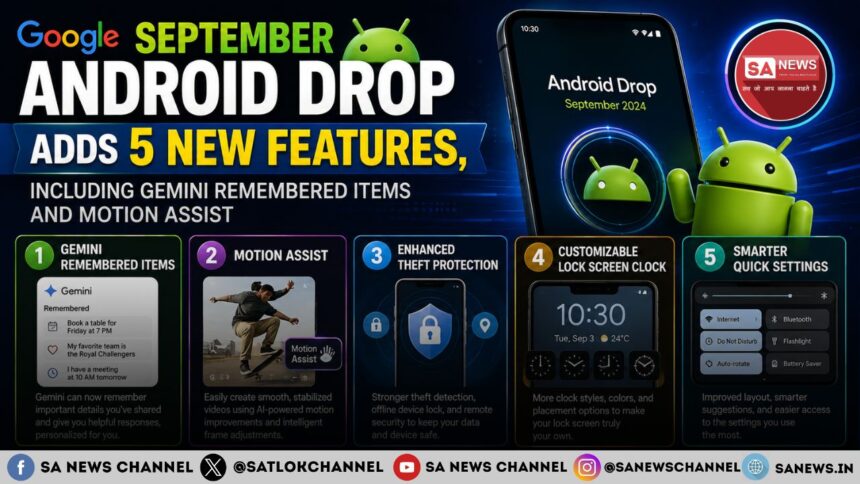
Google has announced its September Android Drop with five new features focused on everyday usefulness, accessibility and messaging. The update lets Gemini remember where important items are stored through Find Hub, introduces Motion Assist for motion sickness, adds Guided vision to Gemini Live, brings Google Keep into Messages, and adds customizable chat themes.
- Google September Android Drop: What’s New
- Gemini Can Remember Where You Put Important Items
- Motion Assist Targets Motion Sickness During Rides
- Guided Vision Brings Spoken Visual Assistance to Gemini Live
- Google Keep Comes Directly to Google Messages
- Google Messages Adds Custom Chat Themes
- September Android Drop Focuses on Practical Android Updates
- True Purpose Beyond Digital Convenience
- FAQs on September Android Drop
Google September Android Drop: What’s New
Google’s September Android Drop was announced on September 1, 2026, in a post by Erik Kay, VP, Engineering for Android Core Platform. The update covers five features across Gemini, Find Hub, Android accessibility and Google Messages. Business Standard reported the same five additions on September 2, describing the update as including new Gemini features, Motion Assist, Guided vision, Google Keep integration and chat customization options.
| Feature | What it does | Availability |
| Remembered Items | Lets Gemini remember where important belongings are stored | Android 16+ |
| Motion Assist | Adds a moving bubble overlay designed to help reduce motion sickness | Android 17 |
| Guided vision | Provides spoken visual assistance through Gemini Live | Android 9+ coming soon |
| Google Keep in Messages | Enables notes and lists to be created and shared within chats | Rolling out |
| Chat theme | Adds custom backgrounds and colors to individual chats | Available now |
Availability can depend on the device, country and whether the relevant Google services are supported.
Gemini Can Remember Where You Put Important Items
One of the key additions in the September Android Drop is the ability for Gemini to remember where users have placed important belongings through Find Hub.
The feature is intended for items that do not have a tracker tag attached, such as a passport or spare key. Users can tell Gemini where an item has been placed and optionally add a photo.
Also Read: गूगल ने Gemini 3 मॉडल लॉन्च किया: AI निवेश के जोखिम और सुंदर पिचाई की बड़ी चेतावनी
For example, Google says users can say: “Hey Google, remember in Find Hub that I put my passport in my bedroom drawer.”
When the item is needed later, users can ask Gemini for its location or check the Remembered Items tab in Find Hub.
The basic process is:
- Tell Gemini what item should be remembered.
- Tell Gemini where it was placed.
- Add a photo if required.
- Ask Gemini about the item later.
- Check the remembered items in Find Hub.
The feature is coming to Android 16 and newer devices in countries where both Gemini and Find Hub are supported.
Motion Assist Targets Motion Sickness During Rides
The second feature, Motion Assist, is designed for people who use their phones while travelling in a moving vehicle.
It adds a subtle bubble overlay to the phone’s screen. The bubbles move with the vehicle and are designed to help bridge the gap between what the eyes see on the screen and the movement experienced during the ride. Google presents the feature as a way for passengers to continue using their phones while travelling, including for activities such as reading, browsing or watching videos.
Motion Assist can also be customized. Users can change:
- Bubble shape
- Bubble color
- Bubble opacity
It can be configured to activate automatically or added to Quick Settings for faster access.
Motion Assist is available on phones running Android 17.
Guided Vision Brings Spoken Visual Assistance to Gemini Live
Google is also introducing Guided vision to Gemini Live as an accessibility feature designed for and with blind and low-vision communities.
Users can share their phone camera in Gemini Live and hear descriptions of what is in front of them. Google says the feature can assist with tasks such as reading fine print on food packaging, understanding a menu in a low-lit restaurant and identifying household objects.
Guided vision can also provide voice feedback when the camera is not positioned correctly. It can guide users to:
- Reframe the camera
- Pan across an area
- Center an object
This means the feature is intended to do more than simply describe a static camera view. It can guide the user toward a more useful view of the surroundings. For quicker access, Guided vision can be added to Accessibility shortcuts or enabled through the TalkBack menu or Gemini app settings.
Google says Guided vision is coming soon to phones running Android 9 and newer in countries where Gemini is available. Google also states that Guided vision can make mistakes. It is not intended to be a medical device, mobility aid or substitute for safe-travel guides, and Google says it should not be used for navigation or obstacle detection.
Google Keep Comes Directly to Google Messages
The September Android Drop also brings Google Keep integration to Google Messages, allowing users to create and edit notes and lists without leaving a conversation.
The feature is intended for collaborative planning. Examples include shared grocery lists, vacation notes, places to visit, things to pack, restaurants to try and travel ideas. Participants in a conversation can view, edit and add information to a shared note.
To create a Keep Note or list inside Google Messages, users can:
- Start a conversation in Google Messages.
- Tap the + icon.
- Select Google Keep.
- Create a note or list.
- Share and update it within the conversation.
Android Authority reported that the update brings a collaborative checklist powered by Google Keep into Messages, with participants able to edit the list or mark items as complete.
Google says the rollout starts in Google Messages, while Business Standard reports that the feature has started rolling out.
Google Messages Adds Custom Chat Themes
The fifth feature focuses on personalizing individual conversations through Chat themes in Google Messages. Users can give different conversations their own backgrounds and colors. They can select a wallpaper or use their own photo, while the text-bubble colors can automatically match the selected background. Users can also change the colors themselves.
Google gives examples such as using a latte theme for a coffee-related conversation or a beach photo for a vacation group chat.
Android Central reported that users can also choose from curated wallpaper collections, including categories such as Animals, Landscapes and Space, or select photos from their own gallery. The publication also noted that these visual customizations are personal to the user and do not appear on other participants’ phones.
Chat theme is available to use now in Google Messages.
September Android Drop Focuses on Practical Android Updates
The September Android Drop brings together updates across Gemini, Find Hub, accessibility and Google Messages. Remembered Items adds a way to recall user-provided storage locations, Motion Assist targets motion sickness during vehicle travel, and Guided vision adds spoken camera assistance for blind and low-vision users. Meanwhile, Keep integration and Chat themes expand what users can do inside Google Messages.
True Purpose Beyond Digital Convenience
The September Android Drop highlights how technology can help people remember important belongings, understand their surroundings and manage everyday tasks more conveniently.
In this era of Kaliyug (the age of instruments), technology should not merely be used just for convenience, rather it should be used to identify life’s true purpose. The spiritual discourses by Jagatguru Tatvdarshi Sant Rampal Ji Maharaj helps a spiritual seeker to rediscover the lost motive of this human life through His eye-opening facts.
Visit: Sant Rampal Ji Maharaj YouTube Channel
FAQs on September Android Drop
1. What is the September Android Drop 2026?
It is Google’s September Android update featuring five additions covering Gemini, Find Hub, Motion Assist, Guided vision and Google Messages.
2. What are Remembered Items in Find Hub?
It lets Gemini remember where users placed important items, such as passports or spare keys, including an optional photo.
3. Which Android version supports Motion Assist?
Motion Assist is available on phones running Android 17 and adds a moving bubble overlay designed to help reduce motion sickness.
4. What is Guided vision in Gemini Live?
Guided vision provides spoken descriptions through the camera and can guide users to reframe, pan or center objects.
5. What new features are coming to Google Messages?
Google Messages gets Google Keep integration for collaborative notes and lists, plus customizable chat backgrounds, photos and colors.