


I was standing in my kitchen, half-asleep, scrolling through Instagram with one hand while trying to juggle a glass of water in the other. You know where this is going. The glass slipped. I flinched. And my phone, my three-month-old, still-had-that-new-phone-smell phone, went straight into the sink. Which was full of soapy dishwater.
- That First Moment Matters More Than You Think
- Get Everything Off. Everything
- Let’s Talk About the Rice Thing
- The Waiting Game Is Brutal. Play It Anyway
- No Heat. Please, no heat
- Saltwater and Pools Change the Game
- The Isopropyl Alcohol Hack
- If It Works, Back Everything Up Immediately
- When to Accept Defeat and Call a Pro
- One Last Thing
- Spiritual Perspective: More Than a Broken Device: A Lesson in Detachment
I fished it out in under two seconds. The screen was still on. I wiped it on my shirt, pressed the home button, and breathed a sigh of relief. It worked! Crisis averted.
Except it wasn’t. Twenty minutes later, the screen started flickering. An hour after that, it went black and never came back.
I did everything wrong. And I’ve been kicking myself ever since.
So let me save you from making the same mistakes. If your phone takes an unexpected swim, here’s what actually works, and what’s basically just folklore that needs to die.
That First Moment Matters More Than You Think
Here’s something nobody tells you until it’s too late: water doesn’t actually kill your phone. Electricity does.
Your phone has a constant current running through it, even when you’re not using it. When water gets inside, it creates little bridges between components that were never meant to connect. That causes short circuits. And short circuits happen in milliseconds, way faster than you can react.
So when you pull your phone out and immediately press a button to “check if it’s okay,” you might be delivering the killing blow yourself. I know, I know. It’s pure instinct. Your brain goes into panic mode and all you want is reassurance that everything’s fine. But that one press can send electricity through waterlogged circuits and fry the motherboard in a split second.
The absolute first thing you do: turn it off. Not in thirty seconds. Not after you wipe it down. Right now. If the screen is still responsive, shut it down using the normal power-off menu. If it’s already frozen or black, leave it alone. Do not plug it in. Do not connect it to anything. Electricity is your enemy until that phone is completely dry.
Get Everything Off. Everything
Once it’s powered down, start stripping it like you’re about to go through airport security.
Take off the case. Pop out the SIM card tray. If you’ve got a microSD card in there, pull that out too. Every opening you create is another escape route for moisture. Think of it like opening windows in a humid room, you want as much airflow as possible.
If you’re one of the lucky few with a phone that still has a removable battery, take it out immediately. This completely cuts the power source and eliminates the short-circuit risk. Most modern phones don’t give you this option, but if yours does, don’t hesitate.
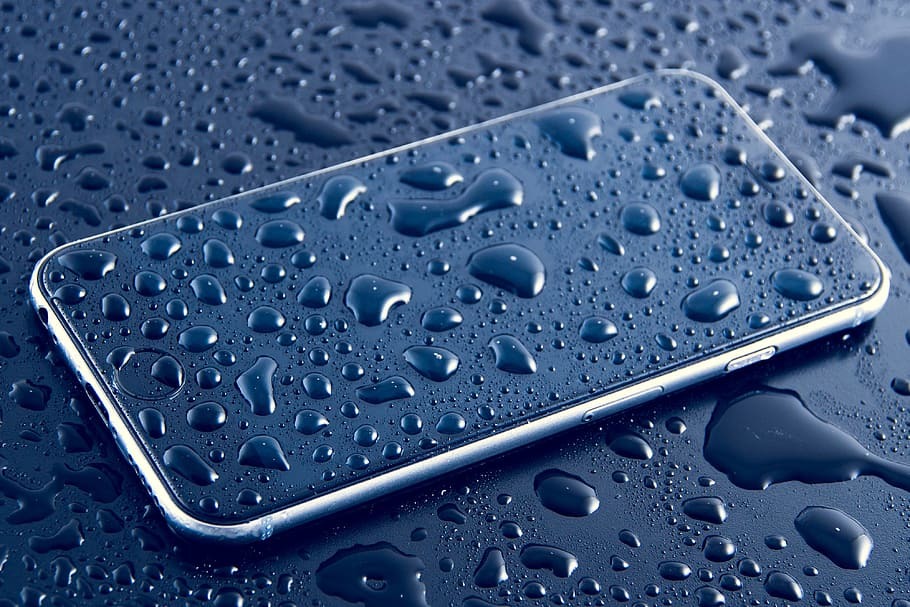
Now grab something soft, a microfiber cloth, a clean t-shirt, even a paper towel in a pinch, and gently dab the outside dry. Be gentle. Do not rub. Rubbing forces water deeper into the speaker grilles, microphone holes, and around the edges of the screen. You’re just trying to soak up what’s on the surface, not push it further inside.
Let’s Talk About the Rice Thing
Okay, I need to address this because it’s everywhere.
The rice trick. The great internet myth. The thing your aunt swears by and your coworker claims saved their phone in 2015.
Here’s the truth: rice does almost nothing for a wet phone.
Yes, rice absorbs moisture from the air. But it can’t create some magical vacuum that pulls water out of the sealed internal components of your phone. The water that’s already inside is trapped behind adhesives, gaskets, and tight component gaps. A pile of dry rice sitting outside isn’t going to reach in there and suck it out.
What rice will do is leave behind fine dust and starch. When that dust mixes with whatever moisture is still in there, it turns into a gummy paste. That paste can clog your charging port, lodge in your speaker mesh, and make professional repairs much harder down the line. I’ve talked to repair technicians who say they dread opening up phones that have been buried in rice, it’s a mess.
If you want a desiccant, use silica gel packets. You know, those little pouches that come in shoe boxes, handbags, or bottles? Those are designed specifically to absorb moisture, and they actually work. Collect a bunch of them, toss them in a sealed ziplock bag with your phone, seal it up, and walk away.
The Waiting Game Is Brutal. Play It Anyway
This is where most people cave.
You seal up your phone, wait six hours, and then think “Maybe I’ll just turn it on to see if it’s okay.”
Six hours is nothing. Twenty-four hours is still pushing it. Water can seep deep into the logic board, behind the screen, and into ribbon cable connectors. It takes time, real time, for that moisture to evaporate out through the tiny openings available. If you power on too soon and there’s still a single droplet bridging two pins, you’ll short something and it’s game over.
Give it at least 48 hours. I know that feels like forever. I know you need your phone for work, for navigation, for two-factor authentication, for everything. But would you rather deal with two days of inconvenience or a replacement?
Put it in a warm (not hot), dry place with good airflow. Position it ports-down so gravity can help. Stick it in that silica gel bag and forget about it. Set a reminder on your computer or tablet if you have to. Walk away.
No Heat. Please, no heat
I’ve seen people use hair dryers, stick phones in ovens, and leave them on car dashboards in summer. Don’t do this.
Heat warps plastic. It melts adhesive seals. It can literally cook your battery, and lithium-ion batteries do not react well to being cooked. At best, you’ll weaken the screen adhesive and get dust under the glass later. At worst, your battery swells up and becomes a fire hazard.
If you want to use airflow, use cool air only. A fan on low speed. A breezy windowsill (out of direct sunlight). An air conditioning vent. Temperature is not your friend here, time and moving air are.
Saltwater and Pools Change the Game
Fresh water is bad enough. Saltwater and chlorine are a whole different beast.
Salt is corrosive. Chlorine is corrosive. They don’t just conduct electricity, they actively eat away at metal contacts. The longer they sit, the more damage they do. If your phone went into the ocean or a pool, you need to act fast.
Here’s something counterintuitive: rinse it with fresh water before you start drying.
I know, it sounds insane. Adding more water to a wet phone? But you’re not adding water, you’re displacing the corrosive stuff. A quick, gentle rinse under running fresh water can wash away salt crystals and chlorine residue that would otherwise continue corroding long after the phone is dry.
Just be gentle. Don’t use high pressure. Don’t submerge it again. A light stream for a few seconds, then dab dry and proceed with the rest of the steps.
The Isopropyl Alcohol Hack
Here’s a trick repair shops use that most regular people don’t know about.
If you’re comfortable opening up your phone, or if you’ve already accepted it might be dead, you can use 99% isopropyl alcohol to displace water and clean corrosion. Alcohol evaporates way faster than water and doesn’t leave conductive residues behind.
Dip a soft brush or a cotton swab into the alcohol (not dripping, just damp) and gently clean any visible corrosion on circuit boards and connectors. The alcohol pushes out water and dries cleanly.
A few warnings: use only 99% or higher. The standard 70% rubbing alcohol has water and oils in it that can leave residue. Also, go easy, you’re not bathing the thing. And obviously, don’t do this while the battery is connected.
If this sounds beyond your comfort zone, skip it and take it to a pro. But if the phone is already toast and you’ve got nothing to lose, this trick has revived more “dead” devices than rice ever has.
If It Works, Back Everything Up Immediately
Okay, you waited 48 hours. You powered it on. It boots up. Everything looks fine.
Great. Now back up your data right away.
Water damage can have delayed effects. Corrosion takes time to eat through traces, and you might see problems days or weeks later, flickering screen, random reboots, charging issues, audio cutting out. Get your photos, contacts, and important files off while the phone is still functional.
Don’t put it off. Do it now. Sync your photos to the cloud, transfer files to your computer, save your notes. If the phone dies again tomorrow, at least your data is safe.
When to Accept Defeat and Call a Pro
If it doesn’t turn on after 48 hours, or if it turns on but acts weird, stop trying. Every time you hit that power button, you’re risking another short.
Take it to a reputable repair shop. Ask specifically if they do ultrasonic cleaning. This is a machine that uses sound waves to agitate a cleaning solution and remove corrosion from the circuit board. It’s the most effective professional method.
Call around. Ask questions. Some shops will quote you for a board replacement without even trying the cleaning, but a place with an ultrasonic cleaner has the right tools for the job. It’s not cheap, but it’s cheaper than a new phone.
One Last Thing
Look, I’m not going to promise your phone will survive. Sometimes the damage is already done before you even have a chance to react. Water is relentless, and phones are full of tiny openings it loves to find.
But I’ve seen phones survive full submersion in rivers, toilets, even a washing machine, just because someone followed these steps and didn’t panic. I’ve also seen phones die from a quick splash in the rain because the owner plugged them in while it was still damp.
The difference isn’t luck. It’s knowing what to do and actually doing it.
So take a breath. Power down. Strip it. Dry it. Wait. And for heaven’s sake, skip the rice.
Your phone is more resilient than you think. But it’s not magic. Give it patience, give it time, and you just might get another shot with that device you thought was gone forever.
Spiritual Perspective: More Than a Broken Device: A Lesson in Detachment
Sometimes, a phone falling into water reminds us of an important spiritual truth: material possessions are temporary, and no object stays with us forever. We spend so much time worrying about things that can be repaired or replaced, yet we often neglect our inner peace and spiritual growth. Difficult moments, even small ones like a damaged phone, can teach us patience, gratitude, and detachment from material comforts. Instead of panicking, take a moment to reflect on what truly matters—our relationships, our values, and our connection with the Divine. Technology makes life easier, but lasting happiness comes from spiritual wisdom and a calm mind.
To deepen your spiritual understanding and explore timeless wisdom, download the Sant Rampal Ji Maharaj App and discover valuable teachings for a peaceful and meaningful life.
Frequently asked questions when a Phone Fell in Water? Here’s What Actually Saves It
Q 1: How long should I wait before turning my phone back on?
Wait a minimum of 48 hours. This may feel excessive, but water can seep deep into the internal components and takes time to evaporate completely. If you power it on too early and any moisture remains, you risk short-circuiting the device. The extra day of patience is a small price compared to the cost of a replacement.
Q 2: Can I use a vacuum cleaner to suck the water out?
This is not recommended. The suction from a standard vacuum cleaner can create static electricity, which poses a risk to the internal components. Additionally, the force may damage delicate parts such as the microphone or speaker membranes. Stick to passive drying methods like airflow from a fan or silica gel packets.
3: Does Apple or Samsung offer water damage coverage under warranty?
Water damage is generally not covered under standard manufacturer warranties. Both Apple and Samsung classify it as accidental damage. However, if you have AppleCare+ or Samsung Care+, you may be eligible for a reduced-cost repair or replacement. Check your specific policy details, as coverage varies by region and plan.
Q 4: What should I do if my phone was in saltwater or chlorinated water?
Salt and chlorine accelerate corrosion significantly. Rinse the phone gently with fresh, clean water as soon as possible to displace these corrosive substances. Do not use high pressure. After rinsing, follow the same drying steps—power off, remove accessories, and allow 48 hours of drying time. The rinse step is crucial for saltwater incidents.
Q 5: Is it safe to use a wireless charger while the phone is still wet?
No. Even if you are not plugging in a cable, wireless charging still transmits electricity to the device. If moisture is present inside, the electrical current can still cause short circuits. Avoid any form of charging until you are certain the phone is completely dry.