

In today’s digital world, almost every aspect of life requires an online account. From banking and shopping to social media and workplace tools, users often manage dozens of accounts daily. Each of these accounts requires a password, and remembering all of them can become difficult. As a result, many people reuse the same password or create simple ones that are easy to remember. Unfortunately, these habits can make personal information vulnerable to cyberattacks.
- Why Secure Password Management Is Important
- Growing Cybersecurity Threats
- Risks of Using Weak or Repeated Passwords
- The Increasing Number of Online Accounts
- Common Password Mistakes People Make
- Using the Same Password for Multiple Accounts
- Creating Simple or Easy-to-Guess Passwords
- Writing Passwords in Unsafe Places
- Not Updating Passwords Regularly
- Best Practices for Creating Strong Passwords
- Use Long and Complex Passwords
- Combine Different Character Types
- Avoid Personal Information
- Use Passphrases Instead of Short Passwords
- Using Password Managers for Better Security
- Enable Two-Factor Authentication for Extra Protection
- Tips to Keep Your Passwords Safe from Hackers
- Avoid Public Wi-Fi for Sensitive Logins
- Beware of Phishing Emails and Fake Websites
- Regularly Update Your Passwords
- Monitor Accounts for Suspicious Activity
- How Businesses and Teams Can Manage Passwords Securely
- Use Enterprise Password Management Tools
- Implement Access Control Policies
- Train Employees on Password Security
- The Future of Password Security
- Passwordless Authentication
- Biometric Security Systems
- AI-Based Cybersecurity Solutions
- Quick Password Security Checklist
- Spiritual Wisdom and Responsible Use of Technology
Cybercriminals are constantly developing new techniques to steal passwords and gain unauthorized access to accounts. Data breaches, phishing attacks, and identity theft are becoming increasingly common. Because of this, managing passwords securely has become an essential part of maintaining online safety. Using strong passwords, adopting secure storage methods, and enabling additional security layers can significantly reduce the risk of cyber threats.
This guide explains practical strategies to manage all your passwords securely and protect your digital identity.
Why Secure Password Management Is Important
Password security plays a critical role in protecting personal and professional data. Weak password practices can expose users to serious cybersecurity risks.
Growing Cybersecurity Threats
Cybercrime is increasing globally, and passwords are often the first target for hackers. Attackers use techniques such as brute-force attacks, phishing emails, and malware to obtain login credentials. Once a hacker gains access to one account, they may attempt to access other accounts using the same password.
Risks of Using Weak or Repeated Passwords
Using the same password across multiple platforms is one of the most common security mistakes. If one website experiences a data breach, hackers can try the same password on other accounts such as email, banking, or social media. This can lead to identity theft, financial losses, or unauthorized use of personal information.
The Increasing Number of Online Accounts
The average internet user manages dozens of accounts across different platforms. Remembering unique passwords for each account can be challenging, which is why many people resort to unsafe password practices. Proper password management helps users stay organized while maintaining strong security.
What Is a QR Code and How to Use It Safely: A Complete Guide
Common Password Mistakes People Make
Understanding common password mistakes is the first step toward improving security. Many cyberattacks succeed because of simple human errors.
Using the Same Password for Multiple Accounts
Reusing passwords makes it easier for attackers to access multiple accounts if one password becomes compromised. Even if a small website suffers a breach, hackers may gain access to more important accounts linked to the same password.
Creating Simple or Easy-to-Guess Passwords
Many people use predictable passwords such as “123456,” “password,” or their names and birthdates. These passwords can be cracked within seconds using automated hacking tools.
Writing Passwords in Unsafe Places
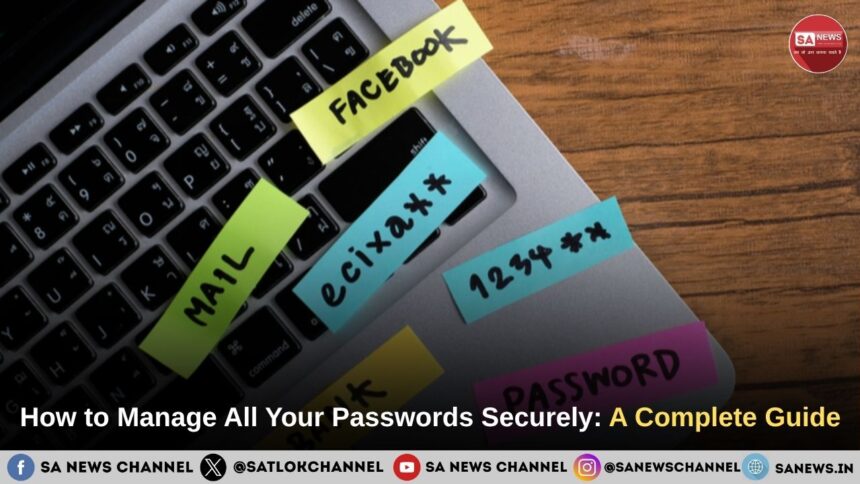
Some users store passwords on sticky notes, notebooks, or unprotected digital files. If someone else gains access to these records, all associated accounts become vulnerable.
Not Updating Passwords Regularly
Keeping the same password for years increases the risk of exposure. Regularly updating passwords reduces the chances that old or leaked credentials can be used for unauthorized access.
Best Practices for Creating Strong Passwords
Creating strong passwords is the foundation of effective password security. A strong password is difficult to guess but easy for the user to remember.
Use Long and Complex Passwords
The length of a password plays a major role in its strength. Experts recommend passwords that are at least 12 to 16 characters long. Longer passwords take significantly more time for hackers to crack.
Combine Different Character Types
A secure password should include a mix of uppercase letters, lowercase letters, numbers, and special symbols. For example, instead of using a simple word, combine multiple elements to make it more complex.
Avoid Personal Information
Passwords should never include personal details such as names, birthdays, phone numbers, or addresses. Hackers can easily gather this information from social media profiles or public records.
Use Passphrases Instead of Short Passwords
Passphrases are long combinations of random words or sentences that are easier to remember but difficult to guess. For example, a phrase like “BlueRiverSunset$Forest2024” is much stronger than a short password.
Using Password Managers for Better Security
Managing dozens of unique passwords can be challenging. Password managers provide a convenient and secure solution.
What Is a Password Manager
A password manager is a secure application that stores all your passwords in an encrypted digital vault. Instead of remembering multiple passwords, users only need to remember one master password to access the vault.
Benefits of Using Password Managers
Password managers offer several advantages for secure password management:
- They store passwords in encrypted form.
- They generate strong, unique passwords automatically.
- They allow secure autofill for login forms.
- They reduce the need to remember multiple passwords.
Because each account can have a unique password, password managers significantly reduce the risks associated with password reuse.
Popular Password Manager Tools
Many reliable password manager tools are available today. Some provide cloud synchronization, while others offer offline storage for added privacy. These tools simplify password management while maintaining strong encryption standards.
Enable Two-Factor Authentication for Extra Protection
Even the strongest password can sometimes be compromised. Two-factor authentication (2FA) adds an additional layer of security to online accounts.
How Two-Factor Authentication Works
Two-factor authentication requires users to provide two forms of verification when logging in. The first factor is usually the password, while the second factor may include a temporary code sent to a mobile device or generated by an authentication app.
Types of Two-Factor Authentication Methods
Different types of 2FA are commonly used:
- SMS verification codes sent to a registered phone number
- Authentication apps that generate time-based codes
- Biometric verification such as fingerprint or facial recognition
By requiring a second verification step, 2FA prevents attackers from accessing accounts even if they obtain the password.
Tips to Keep Your Passwords Safe from Hackers
In addition to creating strong passwords, users should follow safe online practices to prevent unauthorized access.
Avoid Public Wi-Fi for Sensitive Logins
Public Wi-Fi networks in cafes, airports, or hotels are often unsecured. Hackers can intercept data transmitted over these networks, including login credentials. It is safer to use secure connections or a trusted network for sensitive activities.
Beware of Phishing Emails and Fake Websites
Phishing attacks trick users into revealing their passwords by pretending to be legitimate websites or organizations. Always verify website addresses and avoid clicking suspicious links in emails or messages.
Regularly Update Your Passwords
Changing passwords periodically reduces the risk associated with leaked or stolen credentials. Critical accounts such as email, banking, and work platforms should receive special attention.
Monitor Accounts for Suspicious Activity
Many platforms provide security alerts for unusual login attempts. Reviewing account activity regularly can help detect unauthorized access early.
How Businesses and Teams Can Manage Passwords Securely
Password security is equally important for organizations and teams. Weak password practices within a company can expose sensitive business data.
Use Enterprise Password Management Tools
Businesses often use enterprise password management systems that allow secure sharing of credentials among authorized team members while maintaining strict encryption.
Implement Access Control Policies
Companies should ensure that employees only have access to the systems required for their roles. Limiting access reduces the impact of potential security breaches.
Train Employees on Password Security
Human error remains one of the biggest cybersecurity risks. Regular training programs can help employees recognize phishing attempts, create strong passwords, and follow safe security practices.
The Future of Password Security
As cyber threats evolve, new authentication technologies are emerging to improve digital security.
Passwordless Authentication
Many companies are developing passwordless login systems that rely on secure tokens, device authentication, or biometric verification instead of traditional passwords.
Biometric Security Systems
Fingerprint scanning, facial recognition, and voice authentication are becoming increasingly common in smartphones and secure applications. These methods offer convenience while reducing reliance on memorized passwords.
AI-Based Cybersecurity Solutions
Artificial intelligence is being used to detect suspicious login behavior and prevent unauthorized access. AI systems can analyze patterns and flag unusual activity in real time.
Creating strong passwords, using password managers, enabling two-factor authentication, and staying alert to phishing attempts are some of the most effective ways to protect online accounts. Both individuals and organizations must prioritize password security to safeguard sensitive information.
By implementing these best practices, users can maintain control over their digital identities and reduce the risks associated with cybercrime. Secure password management is not just a technical necessity, it is an essential habit for safe and responsible participation in the digital world.
Quick Password Security Checklist
- Use passwords of 12–16 characters
- Never reuse passwords
- Enable two-factor authentication
- Use a trusted password manager
- Avoid logging in on public Wi-Fi
- Update passwords regularly
- Check for data breaches
Spiritual Wisdom and Responsible Use of Technology
While technology continues to evolve and digital security becomes increasingly important, true safety and peace of mind also come from inner awareness and wisdom. Spiritual teachings remind us that material tools can protect our data and accounts, but real security in life comes from living with awareness, discipline, and correct knowledge.
Sant Rampal Ji Maharaj emphasizes that true knowledge helps individuals live responsibly, avoid harmful actions, and use modern resources wisely. Technology, when used with awareness and ethical values, can become a powerful tool for learning and spreading positive knowledge.